
TradingView bar replay: practice on past charts, and never peek
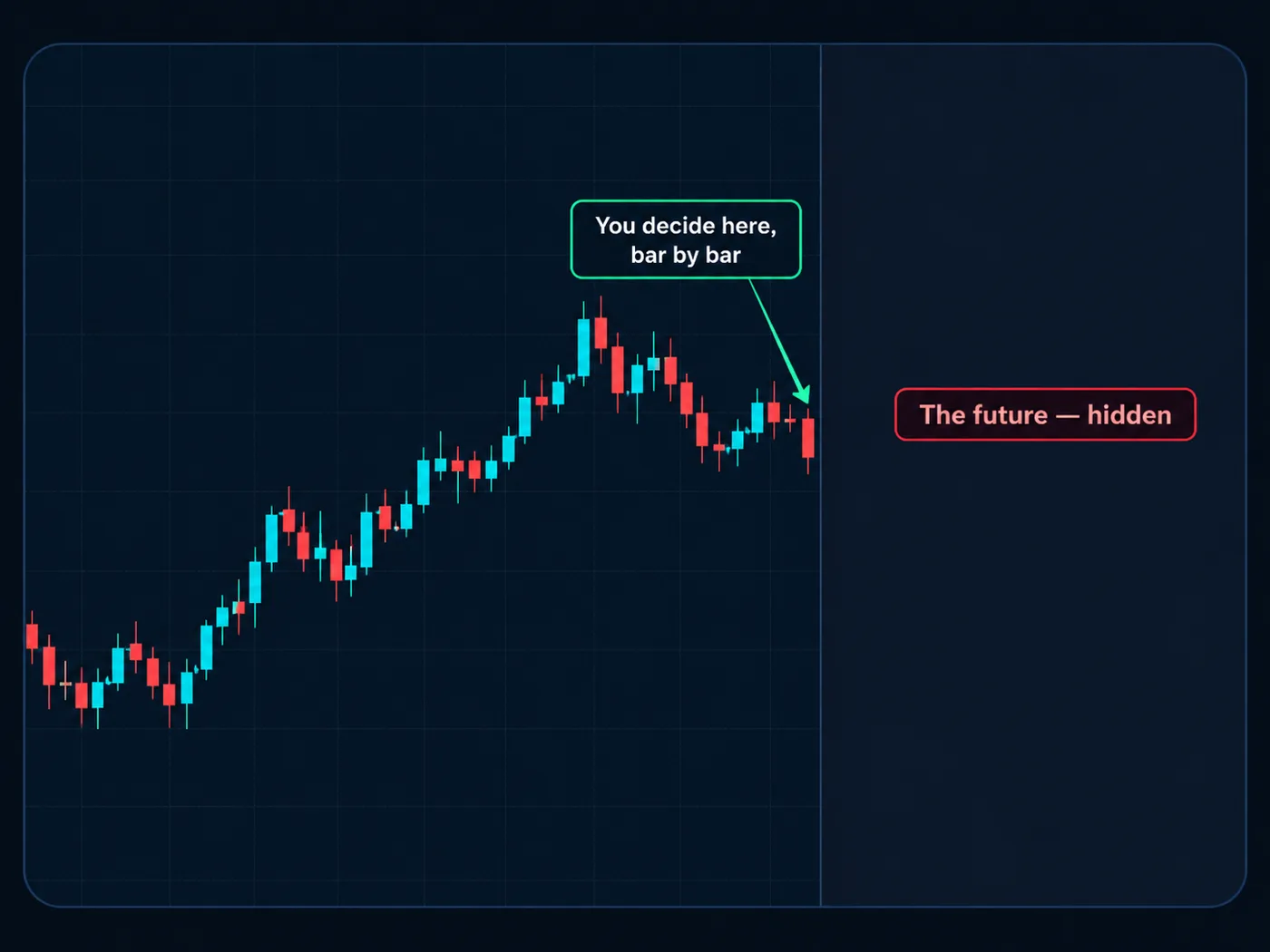
Bar replay rewinds a chart to a day in the past and hides what came next. You step forward one candle at a time and make real decisions, with no money at risk.
Why replay is such good practice
Looking at an old chart, every trade looks obvious. That's because you can see what happened next. Replay takes that away. You only see what a trader saw at that moment.
That makes it the closest thing to real trading that costs nothing. You can practice a month of decisions in an evening. This kind of testing on past charts is often called Backtesting.
Check what your plan allows
Bar replay is a TradingView feature, and what you can replay can vary by plan — for example, which timeframes and how far back. Plans change over time, so check TradingView's own help pages for what yours includes. Daily charts are a great place to start practicing either way.
How to start a replay
On a computer:
- Open a chart of the market you want to practice.
- Pick your timeframe. The daily chart is a good start.
- Click Replay in the top toolbar. It usually shows a rewind-style icon.
- Choose a starting point. Click on the chart where you want the replay to begin. Everything to the right disappears.
- Use the replay controls that appear: step forward one candle, play, pause, and change the speed.
- Exit by turning replay off or jumping back to real time from the replay controls.
Pick a starting point far enough back that you don't remember what happened. Six months to a year back on a daily chart works well.
The never-peek rule
This is the rule that makes replay count: never look ahead.
Don't scroll right. Don't switch to a different timeframe that shows future candles. Don't open the same chart in another tab. If you peek, you're not practicing decisions — you're remembering answers.
If you peek, start over. Pick a new market or a new date you haven't seen. One honest trade is worth more than ten where you knew the ending.
A replay session, step by step
- Set up before you start. Write your rules on paper: your setup, where the stop goes, where the target goes, your 1% risk.
- Read the chart first. Before you step forward, mark the trend and the last places price turned around. Check the bigger chart for direction.
- Step forward one candle at a time. Don't press play at high speed. Slow is the point.
- When a setup appears, stop and decide. Write the entry, the stop and the target before the next candle.
- Keep stepping. Price either hits your stop or your target. No moving either one.
- Log the result. Then keep going to the next setup.
Use the step button, not play. Every click should be a small decision: "Still waiting? Still no trade?"
Log every trade
A replay you don't write down is just watching. Log each trade with:
- the date on the chart (the historical date, not today),
- the market and timeframe,
- entry, stop and target,
- the result in units of risk (+2, −1 and so on),
- did you follow your rules? Yes or no,
- one line on what you saw.
Our free trading journal template has these columns. More in how to keep a trading journal.
Also log the trades you skipped on purpose. Saying "no" to a messy chart is a skill too.
What to look at after 20 trades
After 20 logged trades, add them up:
- How many times did you follow your rules?
- What was the total in units of risk?
- Which mistake came up most?
A math example, in units of risk: 20 trades, 8 wins at +2 and 12 losses at −1 = +16 − 12 = +4 units. That's a math example, not a promise. Past charts don't guarantee future ones, and real trading adds real emotions.
Then aim for 100. Twenty trades is a start; a hundred tells you much more. See how to backtest a trading strategy.
Common replay mistakes
- Pressing play at full speed. You end up reacting, not deciding.
- Peeking "just once." Once is enough to spoil the test.
- Changing the rules halfway. Test one set of rules at a time. Change them after the review, not during.
- Only logging wins. The losses are where the learning is.
- Replaying the same famous move. Pick dates you don't remember.
Make it easier to read
During replay, indicators only see the candles shown so far. That means our free StructureX chart tool can mark the turning points for you without giving away the future. Add it on TradingView.
After replay: paper trading
Replay teaches decisions. It can't teach time pressure, because you control the clock. The next step is Paper trading — live markets, pretend money. See practice trading without money for the full path.
Set a timer. Thirty minutes of slow, logged replay beats three hours of fast clicking. Stop when you notice you're rushing.
Questions
Is TradingView bar replay free?
TradingView offers bar replay, but what you can replay — which timeframes and how far back — can vary by plan. Check TradingView's help pages for what your plan includes.
How do I use bar replay on TradingView?
Open a chart, click Replay in the top toolbar, click where you want to start, then use the step-forward button to move one candle at a time.
Is bar replay the same as backtesting?
Bar replay is one way to backtest by hand. You test your rules on past charts, one candle at a time, and log every trade.
Can you use bar replay on the TradingView app?
Features on the phone app can differ from the computer and change over time. Many people find replay practice easier on a computer, where the controls and the chart have more room.
Want the next step? We'll walk you through it.
Four free lessons by email, one every few days — each with a 10-minute exercise on a real chart.
Send Me the Free Lessons 4 short emails · No spam · Unsubscribe anytimeOr see the whole method, step by step:
See What’s Inside the Course Try everything free first. Decide when you're ready. · Open the free chart tool (works in the TradingView phone app)One chart idea a day, in plain English. Follow along: